
Download The AI Voice Generator – Free AI Text‑to‑Speech Tool for 120+ Languages
Overview
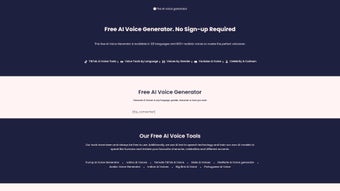
The AI Voice Generator is a cutting‑edge, free web application that turns any written text into natural‑sounding speech. Powered by the latest deep‑learning models, it offers more than 800 distinct AI voices across 120 languages, giving creators unprecedented flexibility when building podcasts, video narrations, social‑media clips, or accessibility content. What sets this tool apart is its ability to fine‑tune voice characteristics such as tone, gender, and emotional mood, and even mimic well‑known personalities for a truly custom experience.
Because it runs entirely in the browser, there is no need for bulky installations or expensive licenses—just an internet connection and a few clicks. Whether you’re a YouTuber looking for engaging voiceovers, a marketer producing multilingual ads, or an educator creating audio lessons, The AI Voice Generator delivers high‑quality, human‑like speech that can be directly embedded into TikTok, YouTube, Instagram, or any other platform. Its intuitive interface, zero‑cost model, and rapid rendering speed make it a go‑to solution for anyone who needs versatile voice content without compromising on realism or speed.
Key Features & Benefits
- More than 800 AI‑generated voices covering 120+ languages and dialects.
- Advanced voice‑character controls: adjust tone, pitch, speed, gender, and emotional mood.
- Persona‑matching mode that can emulate famous personalities or fictional characters.
- One‑click export to MP3 or WAV for seamless integration into video editors and social platforms.
- Browser‑based, no download required – works on Windows, macOS, Linux, Android, and iOS.
- Free tier with unlimited text length; optional premium subscription for faster processing and priority support.
- API access for developers who want to embed the service into their own apps or websites.
- Secure, GDPR‑compliant data handling with automatic deletion of uploaded text after processing.
- Real‑time preview window that lets you hear adjustments instantly before final export.
- Built‑in text‑to‑subtitle synchronizer for creators who need timed captions alongside voiceovers.
These features translate into tangible benefits for users. The massive voice library eliminates the need to hire voice actors for every language, dramatically cutting production costs. Fine‑tuned emotional control ensures that the spoken content matches the intended narrative tone—whether it’s a calm tutorial, an enthusiastic product demo, or a dramatic storytelling piece. The free web‑based model removes barriers to entry, making professional‑grade voice synthesis accessible to hobbyists and small businesses alike. Moreover, the API opens doors for automation, allowing podcasters to batch‑process episodes or developers to create interactive voice‑driven experiences without writing complex AI code.
Installation, Compatibility, Pros & Cons, and Frequently Asked Questions
Installation & Usage Instructions
Getting started with The AI Voice Generator is straightforward:
- Open your preferred web browser (Chrome, Firefox, Edge, Safari) and navigate to the official website.
- Click the “Sign Up” button to create a free account using an email address or social login (Google, Facebook).
- After confirming your email, you’ll land on the dashboard where a large text box awaits your script.
- Select the desired language from the dropdown, then choose a voice from the displayed thumbnails. Use the sliders to adjust pitch, speed, and emotional tone.
- Press “Generate” and wait a few seconds while the AI processes your request. A preview player appears, allowing you to listen and make any final tweaks.
- When satisfied, click “Download” to save the audio file in MP3 or WAV format, or use the “Copy to Clipboard” button to paste the URL directly into your video editor.
- For power users, explore the “API Keys” section in your account settings to obtain an access token and integrate the service into custom workflows.
Because the platform is cloud‑based, there is no software to install on your device, and updates are applied automatically on the server side. This ensures you always have access to the latest voice models without manual intervention.
Compatibility
The AI Voice Generator runs entirely in the browser, making it compatible with all major operating systems: Windows 10/11, macOS Ventura and later, Linux distributions (Ubuntu, Fedora, etc.), as well as mobile platforms such as Android 9+ and iOS 13+. The responsive design adapts to tablets and smartphones, allowing you to generate voiceovers on the go.
Pros & Cons
- Pros
- Free tier with generous limits—ideal for students and small creators.
- Huge library of voices and languages, covering niche dialects.
- No installation required; works on any modern browser.
- High‑quality, human‑like output that reduces the “robotic” feel.
- Extensive customization options for tone, mood, and character.
- Secure data handling and compliance with privacy regulations.
- Cons
- Premium subscription needed for priority processing and bulk API calls.
- Internet connection required; offline use is not possible.
- Some extremely rare languages may have limited voice options.
Frequently Asked Questions
Is The AI Voice Generator really free?
Yes, the core service is free with unlimited text length. A paid plan is optional and provides faster rendering, higher‑priority support, and additional API quota.
Can I use the generated audio for commercial projects?
Absolutely. The license granted to free‑tier users includes commercial use, provided you comply with the platform’s terms of service and do not infringe on third‑party rights.
How secure is my uploaded text?
All data is encrypted in transit (HTTPS) and processed on secure servers. The platform automatically deletes your text after the audio file is generated, ensuring privacy.
Do I need any special hardware to get high‑quality output?
No special hardware is required. The heavy lifting is done on the cloud, so any device capable of running a modern web browser will produce the same high‑fidelity audio.
Is there an API for developers?
Yes, a RESTful API is available. After creating an account, you can generate an API key in the dashboard and integrate voice synthesis into your own applications.
Conclusion – Start Creating Professional Voiceovers Today
The AI Voice Generator packs the power of state‑of‑the‑art speech synthesis into a free, browser‑based experience that anyone can use. Its expansive voice library, granular control over vocal attributes, and seamless integration with popular content platforms make it an indispensable tool for creators, marketers, educators, and developers alike. Because there’s no software to install and updates happen automatically, you can focus on crafting compelling narratives rather than troubleshooting technical issues.
Whether you need a calm narrator for an e‑learning module, an energetic announcer for a product launch, or a character voice for a game, this platform delivers results that sound genuinely human. Take advantage of the free tier to experiment, and consider the premium plan only if you need faster processing or larger API quotas. Ready to transform your scripts into lifelike speech?
Download The AI Voice Generator now and start producing high‑quality voice content in minutes.



.png)



